How do I set our working hours?
For owners and admins
In Settings → Organization → Work schedule. Everyone follows these unless they have their own hours or a shift.
- 1Open Settings → Organization.
- 2In Work schedule, click Edit.
- 3Choose the work days, start and end times, and the hours expected a day, then save.
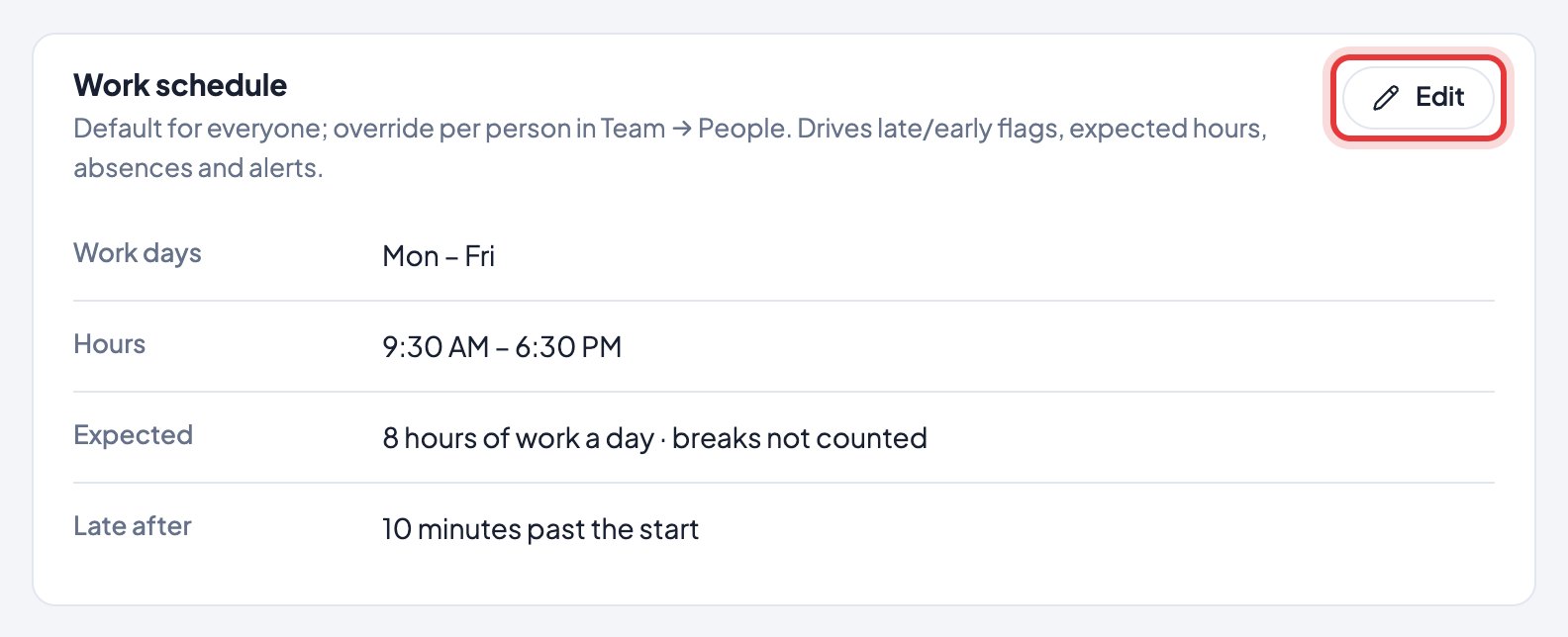
Late after sets the grace minutes. Expected hours don’t include breaks: a 10 AM – 7 PM day with 8 expected hours leaves an hour for breaks.
Still stuck? We’re happy to help.
Ask usMore on shifts and schedules
- How do I change our company name or time zone?
- We work in shifts. Does Timerfly handle that?
- How do I plan the week on Work schedule?
- How do I copy last week, or start the week again?
- On a night shift, which day does the work count on?
- I changed a shift after the person started work. Are their hours right?
- Can I plan shifts in Excel, or print the rota?
- Can an employee ask for a day off, another shift or a swap?
- How do I answer shift requests?
- Where do I see my shifts?
New to Timerfly?
Try every feature free for 14 days.