Can an employee ask for a day off, another shift or a swap?
Yes. On Work schedule, click Ask for a change. A swap goes to the colleague first, then to the manager.
- 1Open Work schedule and click Ask for a change.
- 2Pick the day.
- 3Choose A day off, Another shift, Other hours or Swap with a colleague.
- 4Add a note if you like and click Send request.
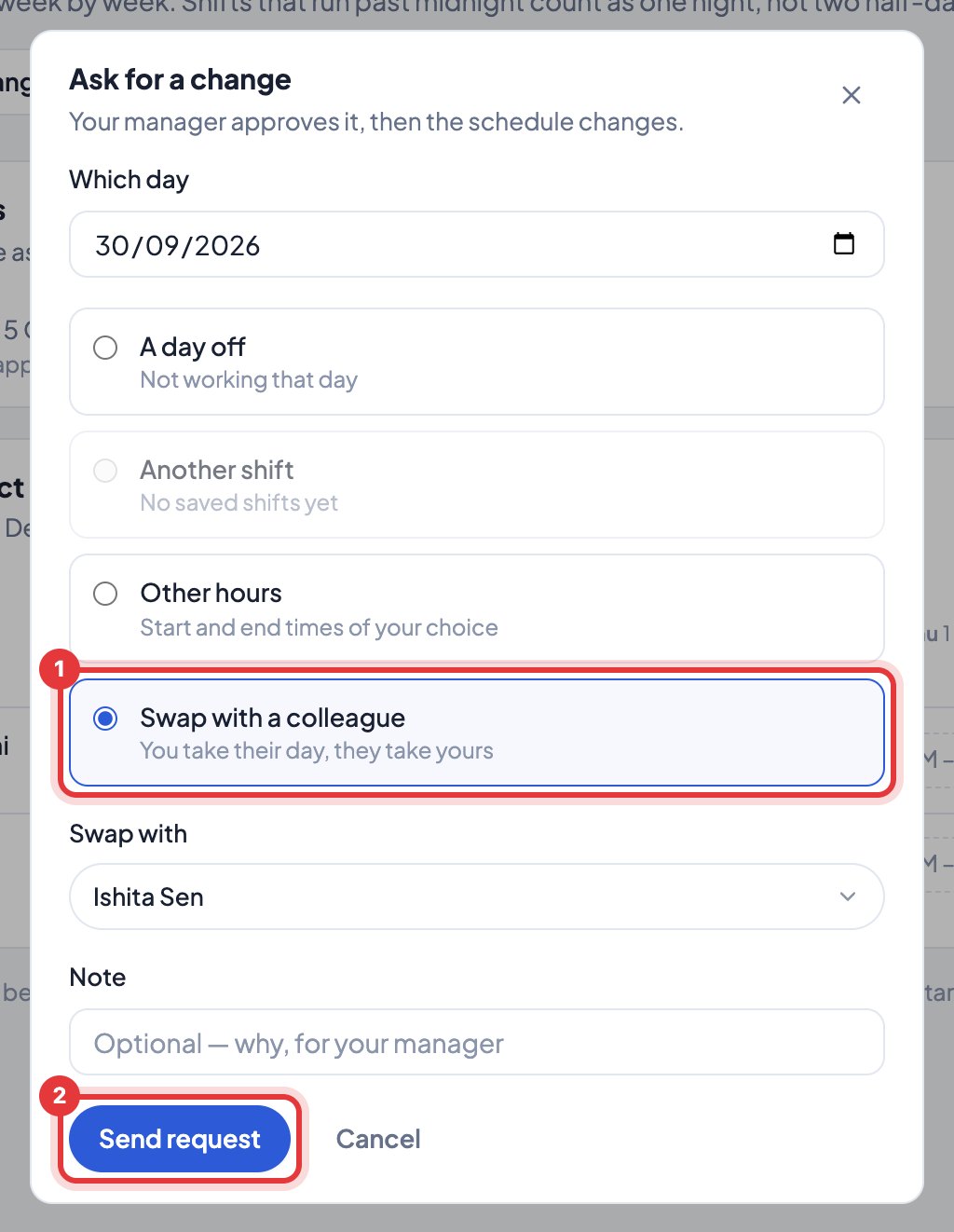
Your requests and where they stand show under Shift requests on Work schedule. You can cancel one until it’s decided.
You get an email when it’s approved or declined, or if the colleague says no to a swap.
Still stuck? We’re happy to help.
Ask usMore on shifts and schedules
- How do I change our company name or time zone?
- How do I set our working hours?
- We work in shifts. Does Timerfly handle that?
- How do I plan the week on Work schedule?
- How do I copy last week, or start the week again?
- On a night shift, which day does the work count on?
- I changed a shift after the person started work. Are their hours right?
- Can I plan shifts in Excel, or print the rota?
- How do I answer shift requests?
- Where do I see my shifts?
New to Timerfly?
Try every feature free for 14 days.