What’s in Reports?
For managers and admins
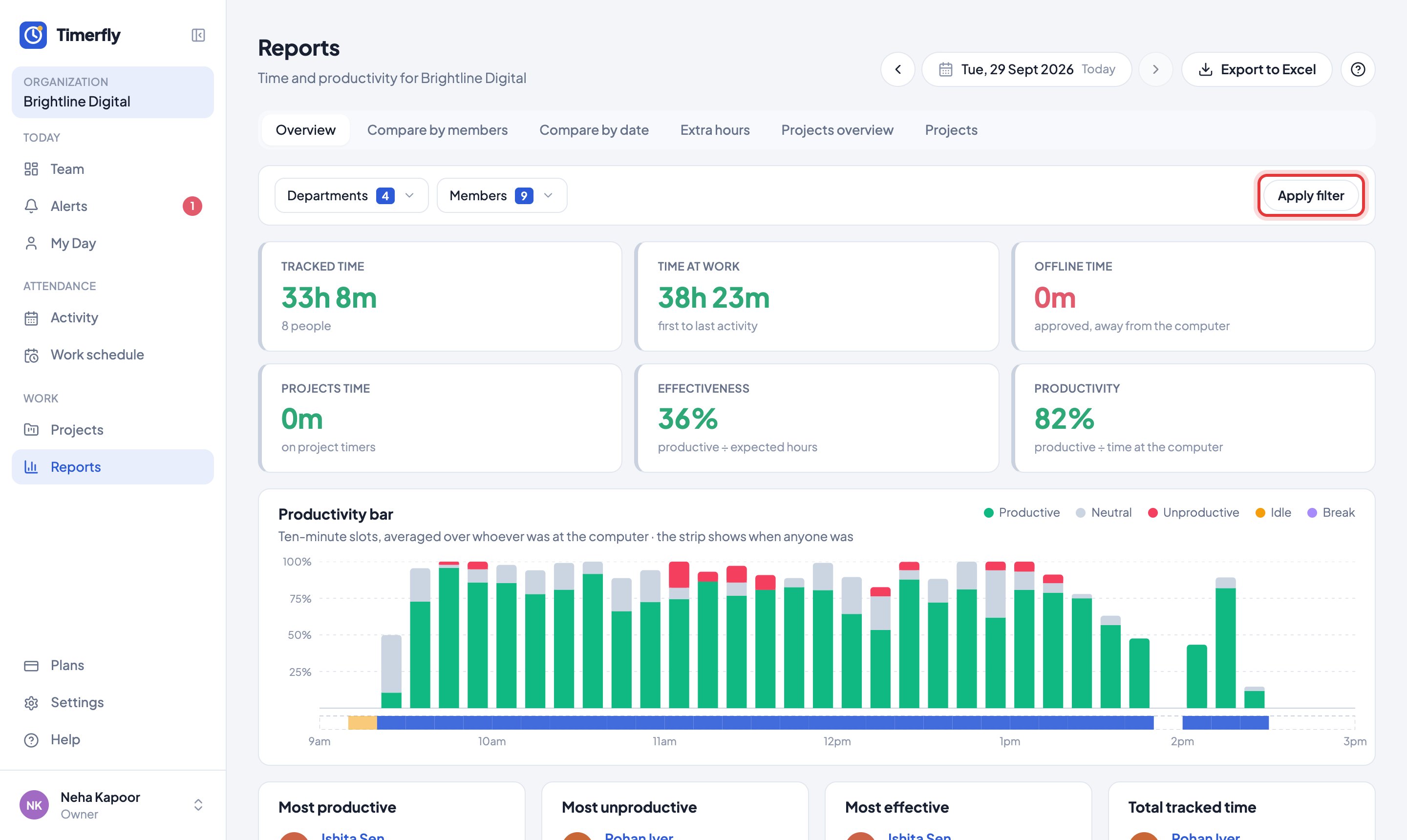
Any dates, any people. Overview for the totals; Compare by members and Compare by date side by side; Extra hours; and two Projects tabs.
- 1Open Reports.
- 2Pick the dates at the top.
- 3Tick departments or people under Departments and Members: the report changes straight away.
Still stuck? We’re happy to help.
Ask usMore on reports and payroll
- How do I read the Team page?
- How do I read My Day?
- How do I see one person over a month?
- How do I see overtime?
- How do I export a report to Excel or PDF?
- Can we run payroll from Timerfly?
- Our pay month runs from the 26th to the 25th. Does that work?
- Can I get reports by email?
- How do projects work?
- Can I give people tasks?
- Can I show a client the hours spent on their project?
- Can I see what a project costs?
New to Timerfly?
Try every feature free for 14 days.