Can I get reports by email?
For owners and admins
Yes: daily (9 AM, for yesterday), weekly (Monday 9 AM) and monthly (the 1st at 9 AM). Unless someone changes it, the owner gets the daily email, admins and managers the weekly one, everyone but employees the monthly one, and employees nothing. Owners and admins choose who gets which.
- 1Open Settings → Alerts & emails.
- 2In Who gets emails, choose each person’s Report emails and tick Monthly.
- 3To see one now, click Yesterday’s, Last week’s or Last month’s.
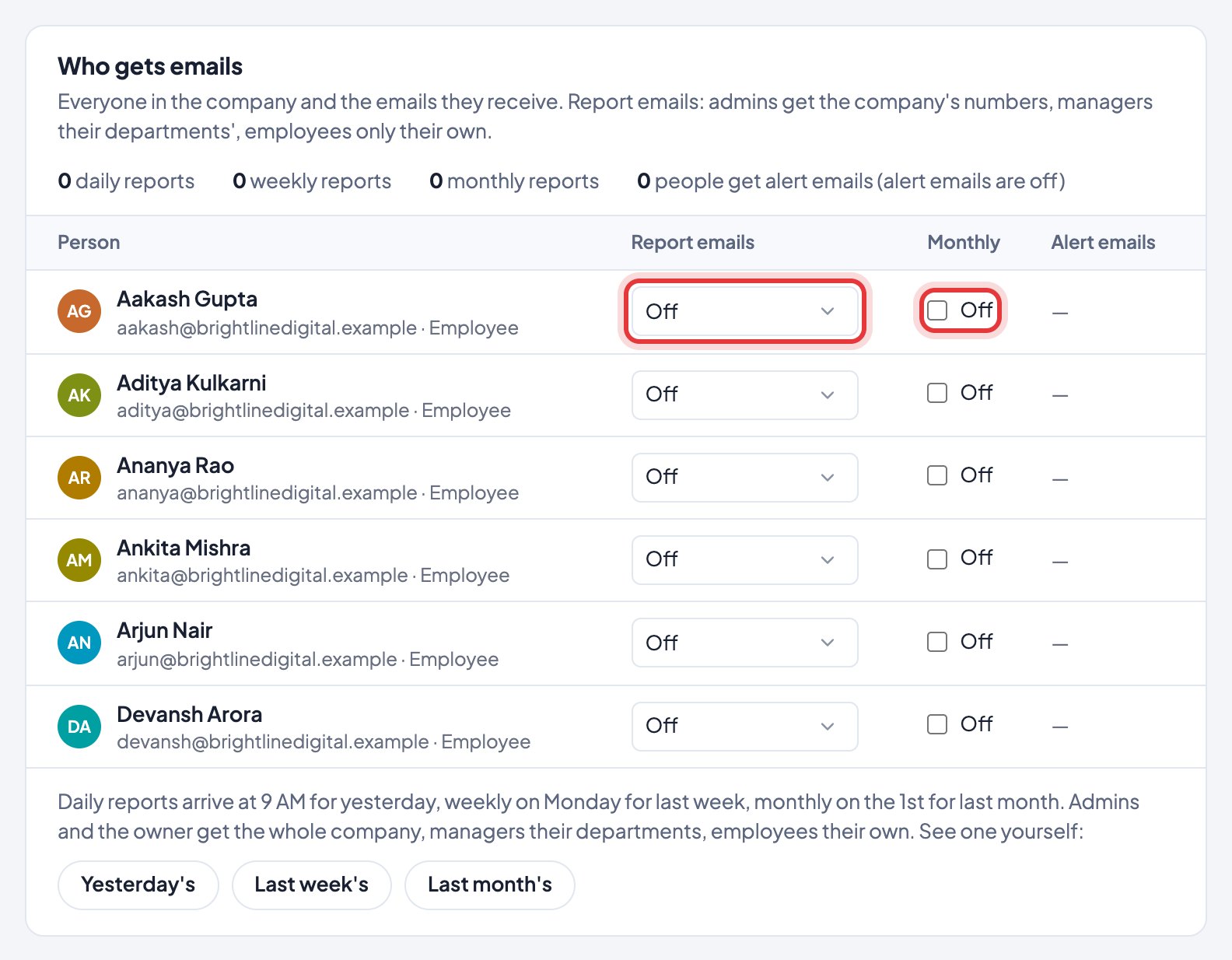
Owners and admins get the whole company’s numbers, managers their departments’, employees only their own.
The daily email starts with who came in late and who wasn’t in (absent, on leave, no activity), then the day’s hours, each person’s arrival and effectiveness, and the most used apps. On a day nobody worked, like a holiday, no email is sent.
To change or stop your own, click Change or stop it at the bottom of any report email.
Report emails are on every plan, and during the trial.
More on reports and payroll
- How do I read the Team page?
- How do I watch someone’s screen live?
- How do I read My Day?
- What’s in Reports?
- How do I see one person over a month?
- Where do I see every app and website that was used?
- How do I see overtime?
- How do I export a report to Excel or PDF?
- Can we run payroll from Timerfly?
- Does Timerfly connect to Keka, greytHR or a biometric machine?
- Our pay month runs from the 26th to the 25th. Does that work?
- How do projects work?
- Can I give people tasks?
- Can I show a client the hours spent on their project?
- Can I see what a project costs?