How to add your team (and what they receive)
49 s video
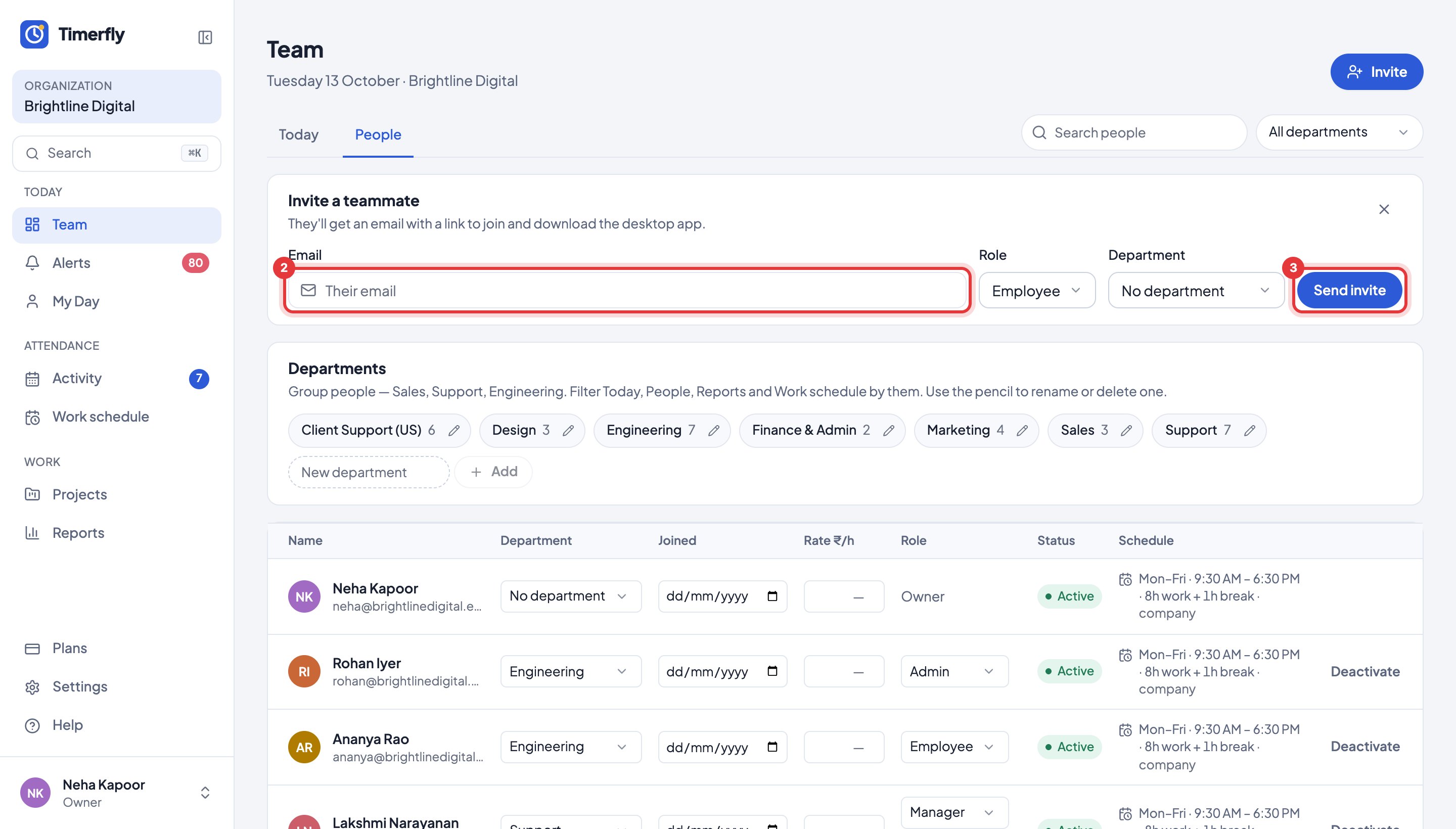
Invite each person by email from the Team page; they get an Accept invitation email, choose a password, then install the desktop app. Until then they show as No app yet.
How do I add my team?
Invite each person by email from the Team page. They get a link to join and to download the app.
- 1Open Team and click Invite.
- 2Type the person’s email. Choose Employee (or Admin, if you’re the owner).
- 3Click Send invite. Do the same for the next person.
If the email doesn’t arrive, click Copy link and send it on WhatsApp.
In Help
More videos
All videos →


New to Timerfly?
Try every feature free for 14 days.