Get a Telegram or Slack alert when someone is late
56 s video
Settings → Alerts & emails: turn on Late start (minutes), send to email or chat apps, connect Telegram (BotFather /newbot, add the bot to the group, paste the token, pick the group) or Slack (incoming webhook; Teams and Google Chat the same), Send test alert; the alert arrives within a minute with who, start time and a link to their day; every alert is listed on the Alerts page; turn alerts off by department or person.
Can I be told when someone is late or idle for long?
Yes. Switch on the alerts you want in Settings → Alerts & emails, and choose where each one goes.
- 1Open Settings → Alerts & emails.
- 2Switch on an alert (like Late start) and set its limit.
- 3Under Send to, choose Email and any chat app you connected.
- 4Click Send test alert to check.
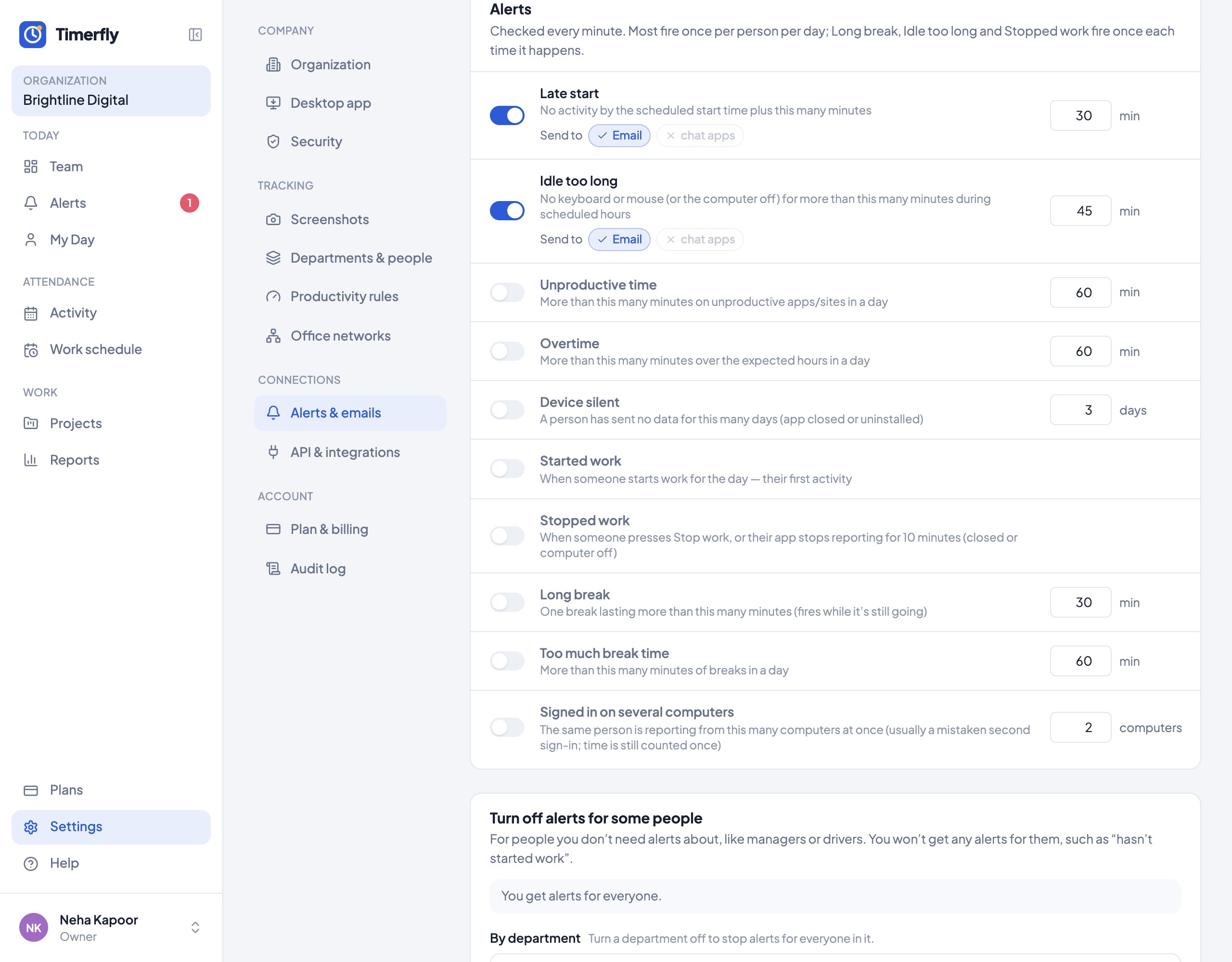
Alerts: late start, idle too long, unproductive time, overtime, long break, too much break time, device silent, signed in on several computers, activity that looks automated (a mouse jiggler or a key-presser), started or stopped work, started a break or back from one, and requests waiting for your approval (leave, offline time, shift changes). Managers get them for their own people. Alerts are on Pro and Business.


