How to read the Team page: who's working, late, idle
58 s video
The Team page live: top numbers, filters with counts (Working, Idle, Break, Late, Left, Absent), what each row means, late marks, shifts not started, and one person's day.
How do I read the Team page?
It’s today, live: who’s working and on what, who’s idle, on a break, late or absent. The coloured words at the top are filters with counts.
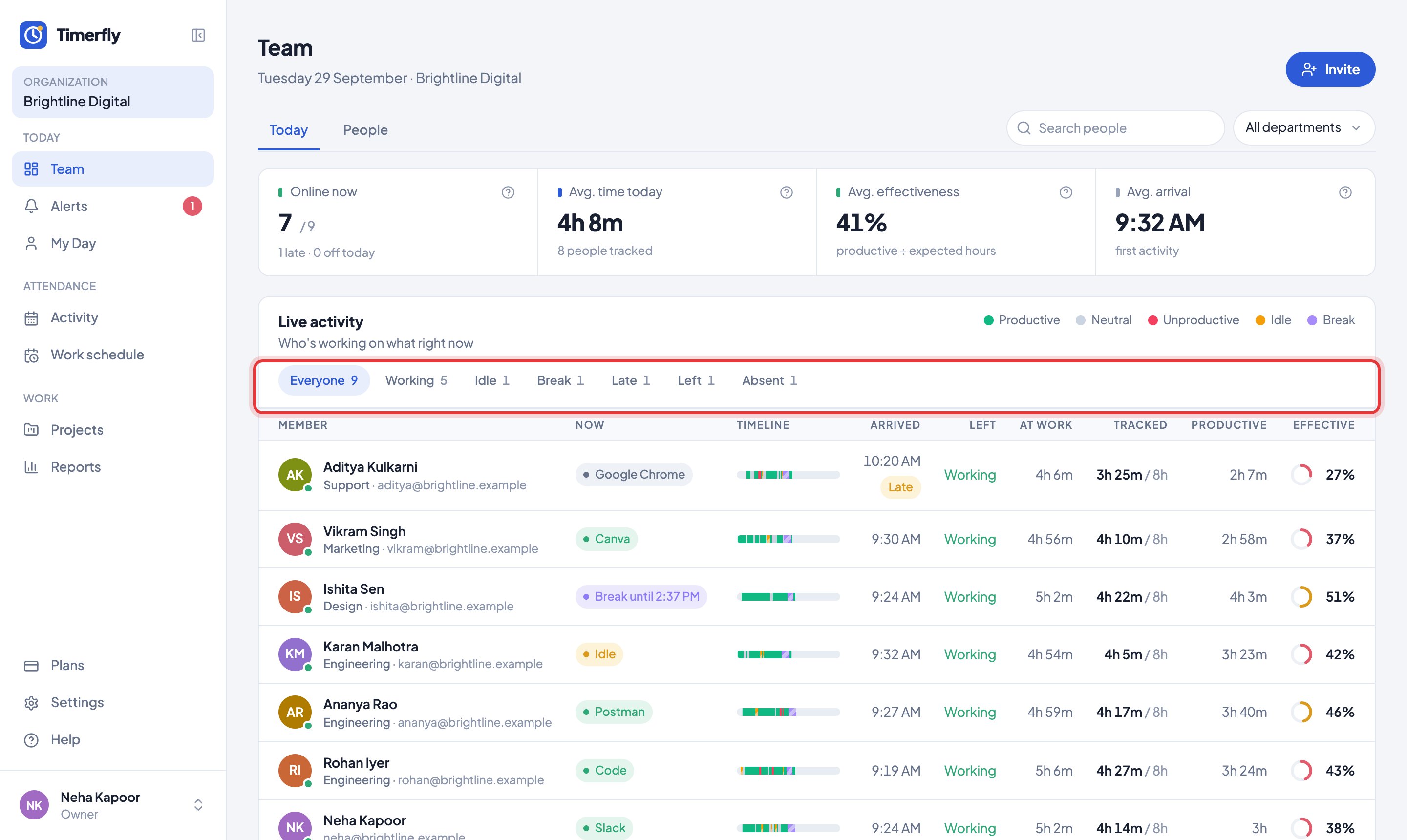
Each row shows what the person is doing now, when they arrived and left, time at work, tracked time, productive time and effectiveness.
Click a name to open their day. Starts 1:00 PM · in 21m means their shift hasn’t begun yet.
In Help
More videos
All videos →


New to Timerfly?
Try every feature free for 14 days.